
by Gaurav Karale | May 15, 2025 | Wireless Network
With the digital-first reality of today, organizations need agile, secure, and scalable connectivity to enable diverse applications ranging from cloud computing and video conferencing to IoT integration and hybrid work patterns. As wired networks have limitations in terms of flexibility and deployment speed, enterprise wireless solutions have become the choice of the day for high-performance, reliable network infrastructure by organizations.
This guide explores what enterprise wireless solutions entail, the key components involved, and how businesses can strategically implement them to enhance operations and support future growth.
What Are Enterprise Wireless Solutions?
Enterprise wireless solutions refer to large-scale wireless networking setups designed to meet the demands of business environments. In contrast to consumer-grade Wi-Fi employed in residential use, business solutions provide more scalability, high-strength security, and management capabilities. Enterprise solutions are designed to enable faultless connectivity between buildings, floors, or even campuses so as to provide uninterrupted communication among workers, devices, and systems.
Wireless enterprise networks are built to support high traffic in data, high device density, low latency, and high security protocols. This makes them suitable for use in manufacturing, healthcare, retail, education, logistics, and IT services industries.
Core Components of an Enterprise Wireless Network
- Access Points (APs): These are the backbone of any wireless network. Enterprise-grade APs offer better coverage, faster speeds, and support for multiple concurrent users. They are strategically placed to ensure strong signals throughout the premises.
- Wireless Controllers: These devices manage and configure all access points centrally, ensuring consistent performance, updates, and security protocols across the network.
- Network Management Software: A centralized dashboard allows IT teams to monitor usage, troubleshoot issues, optimize performance, and control access rights from a single interface.
- Security Frameworks: Enterprise wireless systems include robust encryption standards (WPA3), firewall protection, intrusion detection systems, and user authentication protocols to safeguard against cyber threats.
- Power over Ethernet (PoE) Switches: These switches power APs and controllers through Ethernet cables, reducing the need for separate power connections and simplifying deployment.
Benefits of Enterprise Wireless Solutions
- Scalability: Wireless networks allow organizations to scale operations without the constraints of physical cabling. Adding new devices or setting up a new department becomes fast and cost-efficient.
- Mobility: Employees can access the network from anywhere within the workspace, improving collaboration and productivity. This flexibility supports mobile workforces and remote access for hybrid models.
- Reduced Downtime: Enterprise-grade wireless networks offer high availability with features like load balancing and auto failover, ensuring seamless connectivity during peak loads or hardware failure.
- Simplified Infrastructure: Without the clutter of cables, wireless networks reduce the complexity of installation and maintenance. This allows for cleaner office designs and easier upgrades.
- Improved Customer Experience: For businesses in retail, hospitality, or healthcare, strong wireless connectivity improves customer service by enabling digital kiosks, self-checkouts, and real-time support systems.
Factors to Consider Before Implementation
- Site Survey and Coverage Planning: Every building has different materials, layouts, and usage patterns. A professional site survey ensures there are no dead zones and that each AP is optimally placed.
- Device Density and Bandwidth: It’s essential to understand how many devices will connect to the network and what types of activities (e.g., video calls, large file transfers) will occur regularly.
- Security Policies: A solid wireless solution must align with corporate IT policies, including secure guest access, user authentication, and data encryption.
- Compliance Standards: Industries like healthcare and finance have strict regulations regarding data privacy and transmission. Ensure the solution adheres to these standards.
- Future-Proofing: With Wi-Fi 6 and Wi-Fi 7 on the horizon, opting for APs that support these standards ensures longevity and compatibility with future technologies.
Use Cases Across Industries
- Manufacturing: Wireless networks enable real-time data transmission from Iot-enabled machinery, improving operational efficiency and reducing downtime.
- Education: Schools and colleges use wireless systems to provide seamless internet access across classrooms, libraries, and dorms.
- Retail: From POS systems to inventory tracking and customer analytics, wireless networks support the digitization of retail operations.
- Healthcare: Hospitals rely on uninterrupted wireless networks for accessing patient records, running diagnostic tools, and supporting telemedicine services.
- Corporate Offices: Hybrid work environments benefit from secure and high-speed wireless access that supports collaboration tools, VoIP, and cloud-based applications.
Conclusion
Paying for high-quality and scalable enterprise wireless solutions is a strategic imperative. With properly designed networks, equipment, and management processes, organizations can open the door to increased productivity, lower operating costs, and more dynamic workplaces.
Acceron provides key wireless infrastructure solutions tailored to the enterprise’s specific requirements. From site surveys and deployment to network monitoring and security, their tailored solutions provide hassle-free connectivity, strong security, and future-proof scalability for businesses across industries.
by Gaurav Karale | May 15, 2025 | Enterprise IT Solution
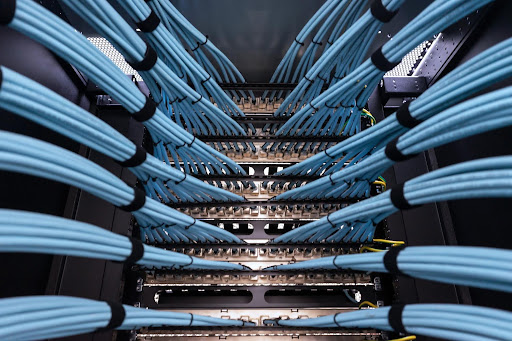
In an increasingly connected and data-driven world, structured cabling forms the silent backbone of every modern organization. From high-speed internet to seamless device integration and network communication, structured cabling supports critical infrastructure. However, as demands grow, ensuring scalability and redundancy becomes essential. The future of cabling isn’t just about laying cables; it’s about designing a robust, forward-looking architecture that supports evolving technologies, remote work, IoT, and smart systems, all of which are integral to any enterprise IT solution today.
Understanding the Importance of Structured Cabling
Structured cabling refers to a standardized system of organizing and managing cables and hardware that supports a comprehensive telecommunication infrastructure. It enables smooth data transfer across computers, phones, security systems, HVAC controls, and other devices in a business environment.
Unlike point-to-point cabling, structured cabling offers better organization, easy scalability, simplified troubleshooting, and a foundation for new technologies. It is a future-proof investment when implemented with scalability and redundancy in mind, core principles of a well-functioning enterprise IT solution.
What Does Scalability Mean in Structured Cabling?
Scalability refers to the ability of your cabling infrastructure to grow with your business. As companies expand, either physically or in terms of technology, their cabling systems must be ready to support additional devices, users, and higher data volumes.
To ensure scalability:
- Plan for Future Bandwidth Needs: Don’t just plan for your current data needs. Use Category 6A or higher cabling to support future technologies and increased bandwidth.
- Centralize Cable Management: A central patch panel or data center with enough room for additional cables and ports will help avoid future congestion and enable smooth expansions.
- Use Modular Components: Modular patch panels and wall jacks make it easy to upgrade or reconfigure the network without overhauling the entire system.
- Embrace Fiber Optics: As data demands rise, fiber optics provide the speed and reliability necessary for enterprise-scale operations.
A scalable cabling system allows businesses to deploy new devices, integrate new applications, and meet performance expectations without downtime or excessive costs, which is key to a robust enterprise IT solution.
What Is Redundancy and Why Is It Essential?
Redundancy in structured cabling means designing your network with backup paths and failover mechanisms to prevent outages in case of hardware failure, disconnection, or physical damage. In mission-critical environments, a single point of failure can lead to financial losses, operational downtime, and customer dissatisfaction.
To incorporate redundancy:
- Build Redundant Network Paths: Create alternate routes for data traffic by using dual cable paths and backup connections in critical areas.
- Segment the Network: Use VLANs and separate cable channels to isolate traffic types, improving performance and preventing a complete shutdown if one segment fails.
- Use High-Quality Components: Invest in reliable cables, switches, patch panels, and racks to reduce the risk of wear and tear or failure.
- Plan for Power Redundancy: Use uninterruptible power supplies (UPS) and redundant power sources to keep networking equipment running during power outages.
Redundancy ensures high availability and system resilience—core pillars of an efficient enterprise IT solution that can support 24/7 business operations.
Design Considerations for a Future-Proof Cabling Infrastructure
To prepare for tomorrow’s requirements, structured cabling must support both horizontal and vertical growth across devices, users, and technologies. This includes:
- IoT and Smart Systems: The rise of intelligent buildings and IoT devices puts pressure on the network to handle constant data streams. Proper cabling design enables easy integration of these devices without performance degradation.
- Remote and Hybrid Work Models: Organizations now require infrastructure that supports flexible access and secure connectivity, both of which begin at the cabling level.
- Data Center Optimization: For businesses running in-house servers or edge computing setups, organized and scalable cabling helps manage temperature, airflow, and space usage effectively.
- Compliance and Safety Standards: Ensure the cabling design aligns with industry regulations like TIA/EIA standards, local fire codes, and IT best practices to reduce liabilities and improve safety.
Integration with Network and IT Infrastructure
Structured cabling isn’t isolated—it must be integrated seamlessly with the wider IT environment. This includes wireless networks, access control systems, security cameras, VoIP phones, and HVAC automation. A well-planned cabling infrastructure reduces signal interference, simplifies troubleshooting, and lowers maintenance costs.
Organizations must also pair their cabling strategy with efficient network monitoring, data management tools, and reliable cloud connectivity to build a truly scalable IT ecosystem.
Conclusion
In the era of digital transformation, structured cabling isn’t just about organizing wires—it’s about creating a foundation that supports business growth, operational continuity, and technological innovation. A future-ready cabling infrastructure ensures your network can expand without disruptions and recover quickly in the face of unexpected challenges.
Acceron, as a leading technology solutions provider, offers scalable and reliable structured cabling services that align with modern enterprise IT solution needs. Their approach ensures both scalability and redundancy are built into your infrastructure from the ground up, making your business network agile, secure, and ready for tomorrow’s challenges.
by Gaurav Karale | May 15, 2025 | Wireless Network
Nowadays, companies are managing growing amounts of data and applications in different locations. This transformation requires highly scalable, resilient, and flexible storage systems that can adapt to evolving workloads and user needs. Consequently, organizations are increasingly looking towards hybrid or multi-cloud storage paradigms to address their own infrastructure requirements.
Selecting between these two architectures is based on business objectives, application types, compliance needs, and network infrastructure, particularly the implementation of secure and dependable wireless network solutions that integrate everything together seamlessly.
What Is Hybrid Cloud Storage?
Hybrid cloud storage integrates on-site infrastructure with public or private cloud storage. Here, companies have the ability to store critical or sensitive data locally on servers to have more control and compliance and utilize the cloud for scalability, backup, and less important workloads. It provides flexibility through the combination of the performance and security of in-house infrastructure with the cost savings and scalability of cloud computing.
Hybrid approaches are best for businesses that seek to retain local control over certain applications or types of data without giving up on cloud innovation. But success would greatly rely on fast-performing network infrastructure and dependable wireless network solutions to optimize data movement among local and cloud environments.
What Is Multi-Cloud Storage
Multi-cloud storage, however, entails the utilization of products from two or more cloud vendors. For instance, an organization can utilize AWS for hosting applications, Microsoft Azure for databases, and Google Cloud for analytics. Such an approach avoids vendor lock-in and enables companies to optimize workloads by choosing the most appropriate cloud environment for every use case.
It also supports redundancy and disaster recovery. When a cloud provider goes down or is breached, data and applications are still accessible through another provider. Multi-cloud setups rely on good integration features and need to be driven by enterprise-level wireless network solutions that are capable of managing multiple types of connections securely and effectively.
Major Differences Between Multi-Cloud and Hybrid
Both models provide flexibility and cost savings, but for different reasons:
- Architecture: Hybrid cloud combines local and cloud environments, while multi-cloud covers several cloud providers.
- Data Placement: Hybrid provides greater control over where data is placed; multi-cloud maximizes workloads across vendors.
- Complexity: Multi-cloud environments are more complicated to manage and need sophisticated orchestration tools and network stability.
- Compliance: Hybrid cloud tends to be appropriate for industries such as healthcare or finance that must store data on-premises due to regulatory requirements.
Choosing the Right Approach for Your Business
When deciding between hybrid cloud and multi-cloud storage, companies have to weigh a few factors:
Data Sensitivity and Compliance
If your company deals with extremely sensitive information or is in a very regulated sector, hybrid cloud provides greater data governance control.
Application Diversity
If you are supporting a large number of different applications with varying resource and performance demands, multi-cloud lets you tailor deployments for the best efficiency.
Scalability Needs
For companies anticipating explosive growth or fluctuating workloads, multi-cloud offers more scalability. Yet, hybrid cloud promises consistent scaling without compromising control.
IT Resources and Expertise
Multiple cloud vendors necessitate specialized talent and more active monitoring. Hybrid cloud can be easier for small businesses with small IT staff, as it leverages existing infrastructure.
Network Infrastructure
A strong but frequently neglected element is network infrastructure. In order to support either model successfully, companies need to have high-speed, secure, and scalable wireless network solutions that provide uninterrupted connectivity among data centers, cloud services, and endpoints.
Benefits of a Strong Network in Cloud Deployments
No matter which storage model you select, your information is as available as your network makes it. Seamless interconnectivity between cloud and on-premise infrastructures demands smart wireless network solutions that can accommodate dynamic bandwidth needs, provide uptime, and secure against cyber threats.
A reliable and well-governed wireless network enables automated backups, real-time collaboration, and remote access to cloud resources—all critical for today’s business operations.
Which Is Better for Long-Term Growth?
There is no one-size-fits-all solution. Hybrid cloud is a good place to begin for companies moving to the cloud, but multi-cloud is better for more established firms willing to spread their cloud investments. Many times, companies implement both approaches eventually as their requirements change.
The secret is to begin with a solid definition of your business requirements, compliance requirements, and IT capabilities. Then, tie your storage strategy to a network infrastructure that supports performance, security, and scalability.
Conclusion
With digital transformation becoming inevitable, hybrid versus multi-cloud storage is a choice that can define the future agility and competitiveness of your business. Ranging from data security to cross-platform accessibility, both options hold their own merits. But none can operate in its best possible state without a trusted infrastructure at the center.
Acceron, with its expertise in network infrastructure, cloud integration, and IT modernization, offers tailored solutions that support hybrid and multi-cloud strategies. Their advanced wireless network solutions ensure your data and applications remain accessible, secure, and future-ready in a rapidly evolving tech environment.

by Gaurav Karale | May 15, 2025 | IT security solution
As 2025 gets underway, digital transformation has evolved beyond competitive edge and now it’s a strategic imperative. The acceleration of cloud computing, edge tech, IoT, and AI is compelling businesses to re-imagine their operations, customer interactions, and internal processes. To remain relevant, organizations require a coherent and scalable means of digital evolution—the Digital Transformation Framework 2025 that we now identify.
Understanding the 2025 Digital Transformation Framework
The 2025 digital transformation framework is a strategic roadmap that combines technology, processes, and people to deliver superior business outcomes. It is centered on facilitating effortless collaboration between IT infrastructure and business objectives. The framework includes intelligent automation, real-time data visibility, strong cybersecurity safeguards, and adaptable scalability. Its intention is to make organizations agile, future-proof, and digitally mature in all functions.
Key Pillars of the Framework
Cloud-First Infrastructure
Enterprises are shifting towards hybrid and multi-cloud setups to scale quicker and enhance operational efficiency. Cloud-first models decrease the strain of supporting legacy systems and make remote accessibility and effortless integration among services possible. Such infrastructures are now inextricably linked with IT service management solution platforms, granting greater control over IT assets and operations.
AI-Driven Automation
2025’s digital strategy relies considerably on artificial intelligence and machine learning to automate redundant tasks, find anomalies, and create predictive analytics. From chatbots in customer support to intelligent ticketing solutions in IT service management platforms, AI is transforming the manner in which organizations react to adversity and opportunity in real time.
Improved Cybersecurity and Compliance
With increasing cyber attacks and more stringent data protection regulations, the model focuses on integrating security into all aspects of digital operations. Companies are implementing advanced threat monitoring, data encryption, and access control measures. Enterprise-level IT service management solution providers are facilitating proactive security incident response and compliance monitoring to protect valuable assets.
Interoperability and Integration
Siloed systems are a liability in 2025. The framework encourages API-led integrations, which enable seamless data flow across CRMs, ERPs, HR platforms, and ITSM tools. This connectedness enhances decision-making and minimizes operational bottlenecks.
Employee Enablement and Digital Culture
Digital transformation isn’t solely about technology—it’s as much about people. The model facilitates activities such as training initiatives, change management tools, and digital workplace platforms that enable employees to embrace new systems seamlessly. A robust digital culture guarantees that technology is leveraged effectively in all teams.
Why IT Service Management Is Central to This Framework
A strong IT service management solution is the backbone of any digital transformation project. It gives the tools to monitor, manage, and optimize IT processes and align them with business demands. From change control and asset and incident management to service requests, ITSM platforms automate workflows and enhance service delivery. In 2025, these solutions are smarter, more scalable, and more integrated than ever.
Today’s ITSM systems leverage predictive analytics to detect system failures ahead of time, automate fixes, and provide uninterrupted services in cloud and on-premise environments. With user-focused dashboards and automated reporting, they provide real-time insights to decision-makers, improving responsiveness and increasing operational transparency.
Use Cases Driving Digital Transformation in 2025
- Smart Infrastructure Management: Organizations are employing digital twin technologies to simulate and manage their infrastructure more effectively.
- Proactive Customer Support: Service desks and chatbots powered by AI are decreasing response times and increasing customer satisfaction.
- Remote Workforce Enablement: Cloud-based collaboration software that is secure and offers remote IT support guarantees productivity within hybrid work environments.
- Predictive Maintenance in Manufacturing: Real-time monitoring and analysis decrease equipment downtime and maximize performance.
Challenges to Address in 2025
While the framework is robust, companies still face challenges such as legacy system integration, data silos, workforce resistance, and budget constraints. Addressing these barriers requires a phased approach, leadership commitment, and selecting the right technology partners who understand the nuances of enterprise transformation.
Conclusion
As businesses in 2025 move through an ever-more digital economy, having a complete digital transformation framework in place is essential to long-term success. From smart automation to data-driven decision-making and connected IT environments, the framework defines a clear path to future-ready operations. Those companies that make scalable, secure, and flexible digital strategies their top priority will succeed in this environment.
For companies willing to adopt a similar framework, Acceron provides customized IT service management solutions that fit squarely within the ambit of contemporary transformation. Their long experience in enterprise IT, automation, and network monitoring positions them as a firm friend for those businesses willing to face the future.

by Gaurav Karale | May 14, 2025 | Network Management and Monitoring Tool
Seamless IT infrastructure is used to drive business efficiency and maintain a competitive advantage. However, without the right tools, managing complex IT ecosystems can seem like an overwhelming task. This is where enterprise monitoring solutions come into play.
These solutions provide comprehensive oversight of the IT system, allowing organizations to maximize performance, ensure reliability, and take preventive measures before issues become problems. Here’s a closer look at the benefits of adopting the right enterprise monitoring solutions.
1. Enhanced Performance Management
The primary advantage of enterprise monitoring solutions is their ability to provide real-time insights into system performance. These solutions monitor key performance indicators (KPIs) across servers, networks, applications, and databases, enabling organizations to pinpoint inefficiencies quickly. With enhanced performance management, businesses can minimize downtime, improve user experiences, and maintain uninterrupted operations.
2. Proactive Problem Resolution
Downtime and failures can also have high price tags and hurt the reputation of a business. Tools like enterprise monitoring tools show anomalies and immediately notify the concerned IT teams, making it possible to recognize potential problems before they strike, thus avoiding service outages and enhancing the overall stability of operations.
3. Deep Visibility into IT Ecosystems
Any modern enterprise has a mixture of on-premises, cloud, and hybrid environments. Managing such heterogeneous infrastructures demands a holistic view of the system. Central dashboards with the right monitoring solutions provide an integrated view of all the IT components, allowing businesses to monitor and manage their environments seamlessly.
4. Enhanced Security and Compliance
Cybersecurity is one of the concerns for enterprises in different types of industries. Enterprise monitoring tools tend to identify unusual activities, unauthorized access attempts, and potential threats in real-time. Moreover, these tools help to comply with requirements by presenting detailed logs and reports that are required to adhere to regulations. Such solutions help integrate security features, which, in turn, will allow organizations to protect sensitive data and create a robust security posture.
5. Cost Optimization
Increased costs due to operational inefficiencies and system failures can be avoided with the help of enterprise monitoring solutions, which will identify resource-intensive processes to be optimized for better cost efficiency. These tools also reduce the need for manual interventions, cut down operational costs, and free up IT teams to work on strategic initiatives.
6. Scalability to Support Business Growth
Organizations grow, so does the complexity of their IT needs. Designed to keep pace with the organization, the right monitoring solutions ensure continued oversight and management of IT resources. From adding new servers, extending into other locations, or integrating cloud services, scalable monitoring tools adapt to the ever-changing business needs.
7. Making Decisions Based on Data
Enterprise monitoring solutions provide actionable insights by analyzing vast amounts of data from IT systems. These insights enable organizations to make informed decisions regarding infrastructure upgrades, resource allocation, and process improvements. Data-driven decision-making not only boosts operational efficiency but also positions businesses for long-term success.
8. Better User Experience
For businesses whose core service delivery models rely heavily on IT systems, User Experience can be foundational. Enterprise monitoring will ensure that applications and services are running at an optimal level with low latency and no service disruptions. This, therefore, goes a long way to enhance customer satisfaction and brand loyalty.
9. Smooth Integration with Existing Systems
Modern monitoring solutions are tailored to easily mesh with existing infrastructures for IT. That will then mean no expensive overhauls and will benefit businesses by allowing the complete exploitation of current systems. Integration capabilities also standardize workflows and enhance collaboration among IT teams.
10. Support for Remote and Hybrid Work Environments
With the emergence of remote and hybrid work models, monitoring enterprise networks has been somewhat challenging. Enterprise monitoring tools offer the required oversight to manage distributed systems effectively, ensuring connectivity and performance to remote teams. This capability is crucial for maintaining productivity in today’s dynamic work environments.
Conclusion
Organizations looking to survive within a competitive marketplace must adopt the right enterprise monitoring solutions. These solutions enable businesses to efficiently manage their IT ecosystems, possibly troubleshoot potential problems ahead of time, and provide scalability as the business grows.
As a leading value-added distributor in the IT security space, Acceron provides cutting-edge solutions that are unique to each enterprise. Using Acceron’s capability unlocks the full potential for IT infrastructure and maintains an edge in a rapidly changing digital direction.


